
Bottleneck Calculator
Does your PC lag even with a powerful GPU? Lagging only increases frustration and ruins user experience. Finding out the actual reason is another struggle. That is where a bottleneck calculator comes in handy. A reliable PC hardware compatibility checker tool designed to evaluate CPU and GPU compatibility, helping you boost PC performance. Identify hardware mismatches and optimize your build with a reliable bottleneck calculator cpu gpu.
Looking for a way to boost PC performance without upgrading the parts? The pc bottleneck calculator is here to solve your problems. This tool uses advanced algorithms to identify key interactions among PC components and evaluate imbalance.
Whether you are a gamer or a professional programmer, checking CPU and GPU compatibility is crucial to optimal progress. This online bottleneck calculator efficiently analyzes bottlenecks, offering important insights.

Understanding CPU and GPU Bottleneck Scenarios
Bottlenecks slow down PC performance and limit the true potential of your system. Recognizing these patterns is an excellent strategy to enhance your PC progress.
Low CPU Usage & Low GPU Usage
Both CPU and GPU are low when you are playing light games. This is not a serious situation, as your system is in a position to efficiently handle multitasking and games.
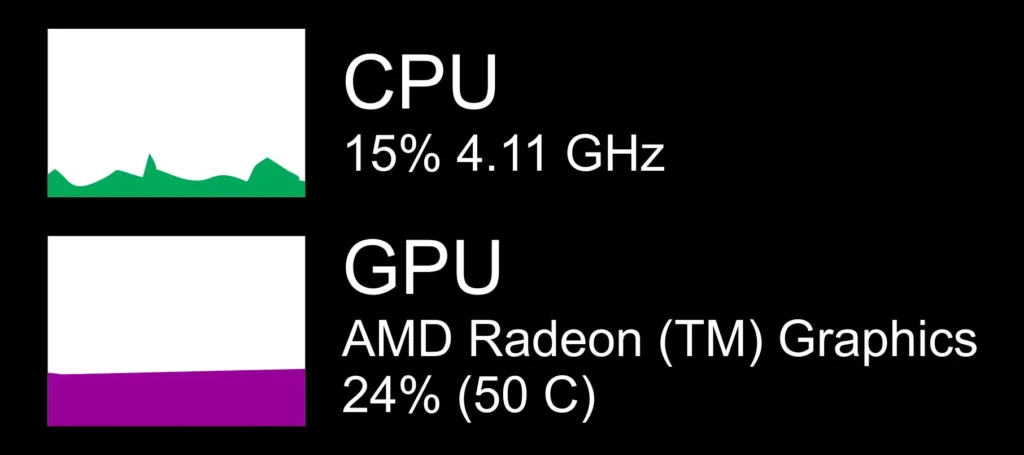
Low CPU Usage & Maximum GPU Usage
This indicates your graphics card is the main reason behind slow PC performance. When you are doing a graphics-related task, GPU usage increases, leading to a poor experience.
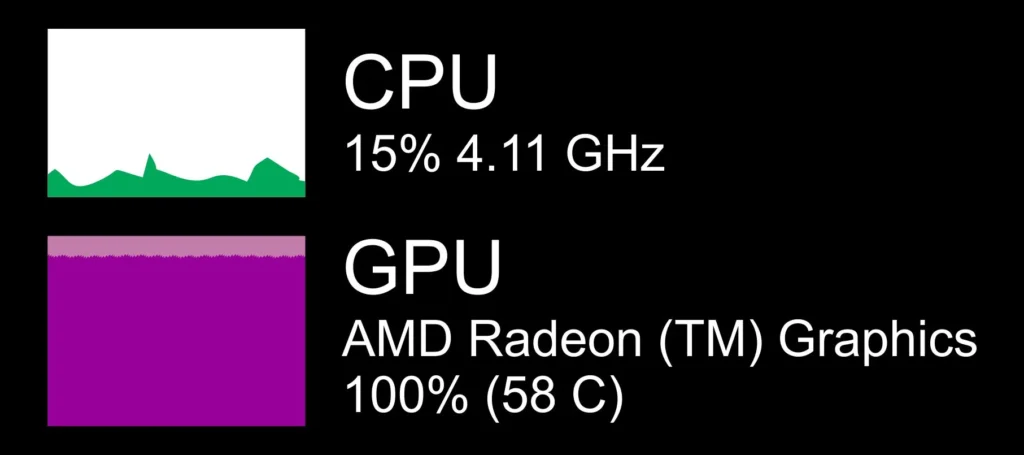
High CPU Usage & Maximum GPU Usage
When both CPU and GPU are high, it means your PC is working at full capacity. Your system might be ok but the graphics card has reached its limits.
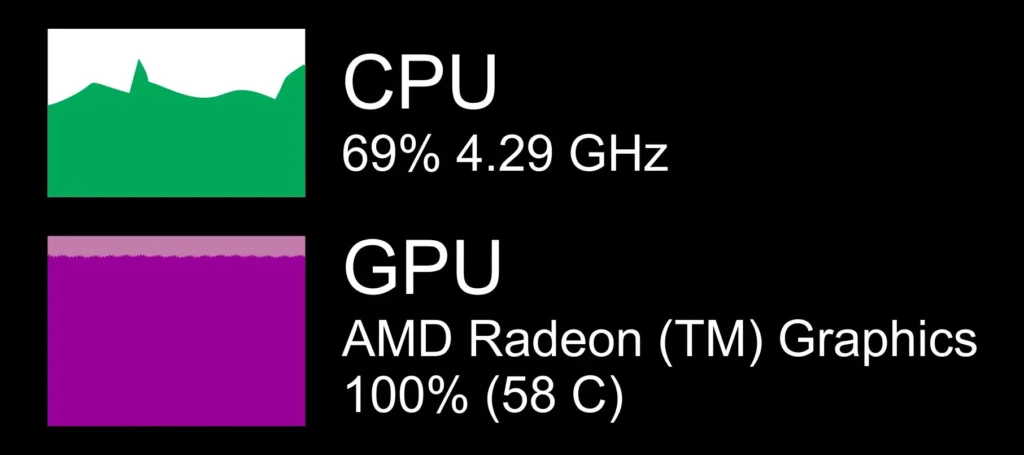
Maximum CPU Usage & Low GPU Usage
When bottleneck calculator indicates the 100% processor usage while 0% GPU utilization. Consider upgrading the CPU to enjoy faster and more efficient performance.
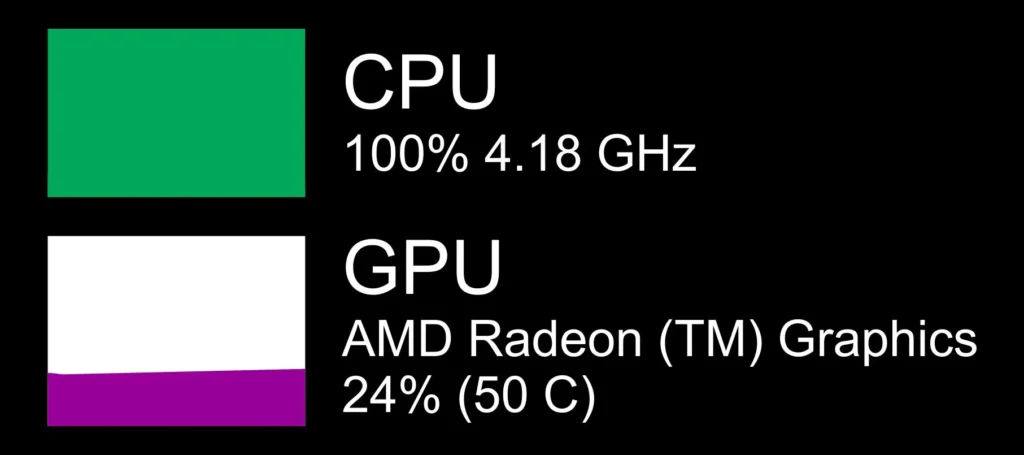
Maximum CPU Usage & High GPU Usage
Both CPU and GPU are close to the balanced load. While the CPU is restricting the PC performance.
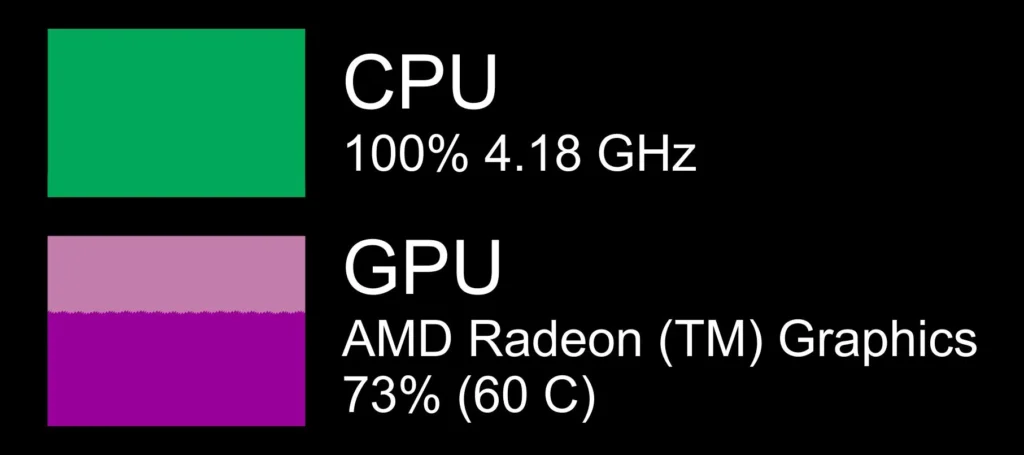
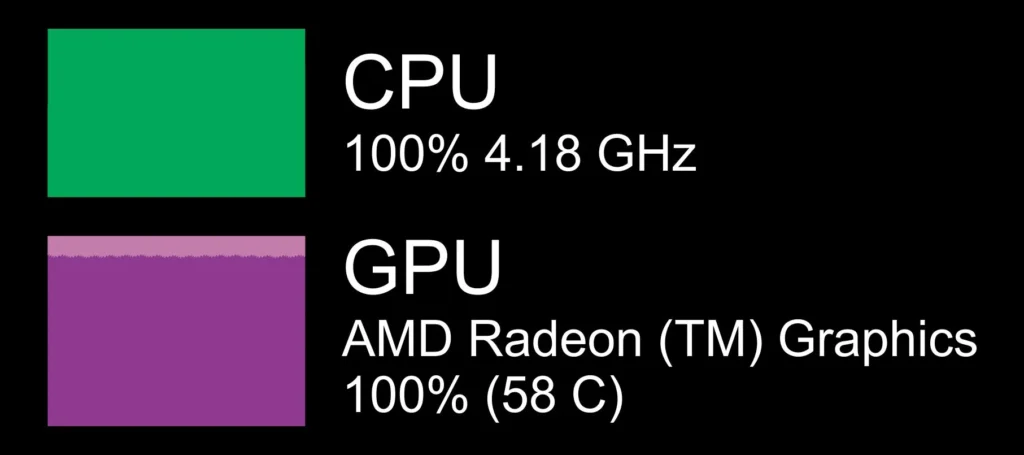
Maximum CPU Usage & Maximum GPU Usage
Your PC is working at full capacity, its normal, but proper cooling can ensure accurate PC functioning.
Types of Bottlenecks
| Type | What It Means | Signs of Bottleneck | Impact |
| CPU Bottleneck | The processor is too slow for the graphics card. | High CPU usage (90–100%) while GPU usage stays low. | Lower FPS and noticeable stuttering in games. |
| GPU Bottleneck | The graphics card is too weak for the processor. | GPU usage constantly near 100% during gaming. | Reduced graphics quality and unstable frame rates. |
| RAM Bottleneck | Not enough memory or slow RAM speed. | Frequent lag, freezing, or high memory usage. | Slow multitasking and delayed app loading. |
| Storage Bottleneck | A slow drive limits system speed. | Long boot times and slow file transfers. | Delayed system response and loading screens. |
| Thermal Bottleneck | Overheating forces the system to lower speed. | High temperatures and sudden performance drops. | Automatic slowdown to prevent hardware damage. |
Core Features of Our Bottleneck Calculator
This trusted Bottleneck calculator is a multi-feature tool for keeping your PC on the run. Here are its features.
User-friendly Interface
With user friendly interface, anyone can analyze PC performance without having technical skills. Follow the on-screen steps and you are already there.
Score-Based Logic
This amazing tool assigns a unique score to every component, allowing you to know the progress of components working with each other.
Detailed Performance Analysis
Accurate performance analysis for your select primary use, like streaming, daily office tasks, and gaming, etc.
Smart Recommendations
Personalized recommendations based on your selected components, along with immediate fixes and specific settings to boost PC performance.
Download Report
Calculator users can easily download the report to save the final results and compare before-and-after progress.
How to use Our Bottleneck Calculator
This CPU, GPU calculator tool is very easy to use for anyone with little technical know-how.
Input the Data
Simply include the information required by the calculator, such as CPU, GPU, Screen resoulotion. If you need a comprehensive analysis, there is an option for advanced calculation. Include RAM, storage, and purpose.
Hit the Button
Now, click the proceed button and wait for the tool to show results. This calculator runs on advanced algorithms to evaluate the performance and compatibility of every components insid your PC.
Check the Results
The calculator will display the bottleneck percentage score and let you know about the performance of every component.
A score above 20% indicates a potential performance issue.
Review the detailed report to see which component is causing the bottleneck.
If your system shows a significant imbalance, consider upgrading or replacing the suggested component to improve performance and achieve smoother operation.
Why Use Bottleneck Calculator?
Slow PC progress wastes time and ruins your experience. That is where a bottleneck calculator can help you avoid the hassle and enjoy maximum performance.
- Accurate Performance Analysis: Get an accurate PC performance analysis based on particular component scoring. With the bottleneck calculator, you can identify the component holding your PC back and upgrade with confidence.
- Up-to-Date System: This CPU GPU bottleneck calculator tool runs on up-to-date models for accurate and reliable results. Benefit from its precise bottleneck analysis and boost your PC functioning.
- Responsive Graphics: Visual analytics helps you to compare the components and see where the performance is being held back. The clickable graphics are very easy to understand, even if you are not tech-savvy.
- Built for Everyone: The bottleneck calculator is perfectly designed to accommodate every type of PC user. It includes gamers, coders, programmers, and IT students, etc.
Decoding Bottleneck Calculator Results
Interpreting bottleneck calculator results is an easy task. If you are confused about how to decode the results, we are here to help. Select CPU, GPU, and RAM to identify the bottleneck.
If you want a comprehensive analysis, consider these factors: storage type, Windows version, and architecture of your operating system. The calculator processes the data and brings the results on a single click.